
To install or upgrade Prompt Studio run:
npm i -g pstdio@latestPrompt Studio is currently in alpha: expect breaking changes before it reaches beta. Any breaking updates will be announced on the blog.
What is Prompt Studio?
Lately, my time to code has been limited. That forced me to think very carefully about how to get more done with less hands-on time. Coding agents help but only up to a point. Once you start running multiple agents in parallel, things get messy:
- errors compound
- context drifts
- outputs diverge from your intent
- reviewing everything becomes tricky
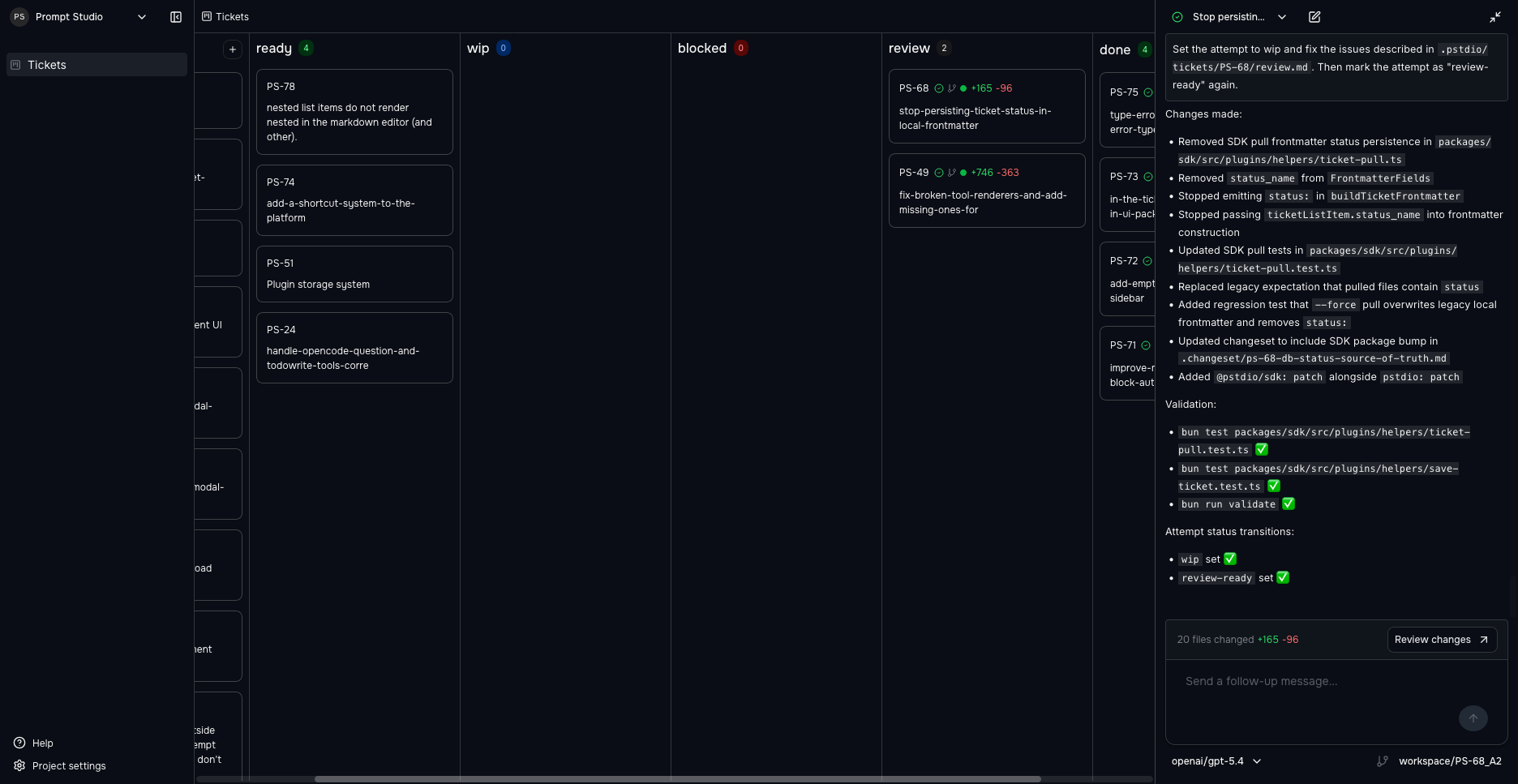
Prompt Studio is a workbench where you and your agents can build and run tailored tools for your work.
It helps you manage fleets of agents (coding or otherwise) by:
- aligning them with how you work
- giving you visibility into what they produce
- making it easier to guide, review, and iterate on their output
Why build another tool?
There are already tools in this space, like Conductor or Vibe Kanban.
And chances are, if you’ve been working with agents for a while, you’ve probably built something yourself to fill the gaps.
So why build another one?
Because none of the existing tools quite fit the way I wanted to work.
We’re still early in figuring out what a good “agentic workflow” looks like. The problem is that most tools:
- bake in strong opinions about how you should work
- optimize for a fixed workflow
- make experimentation harder instead of easier
That’s a tough trade-off: the more a tool tries to help, the more it risks getting in your way.
A workbench you can extend
Prompt Studio takes a different approach. It gives you and your agents a workbench you can shape instead of prescribing one fixed workflow.
Every project can have its own extensions:
- a custom panel tailored to that codebase
- custom actions in the ui or cli
- project-specific automations
- extensions that reflect your workflow
These are some of the extensions I’ve built for myself on top of Prompt Studio:
- open vscode in a specific worktree
- trigger an automated review when an agent finishes an implementation
- add a custom button to open a pull request on GitHub
- launch Storybook directly from the workspace
- automatically capture a screenshot after frontend changes
These help me with my particular workflow, but they do not belong in the core workbench.
Work with the Harnesses you love
Prompt Studio integrates with the Harnesses you already rely on:
- Claude Code
- Open Code
More are coming soon.
You’ll need one of these installed locally to use Prompt Studio.
Try it
Once the CLI is installed, run:
pstdioIf you hit a bug or want to suggest an extension, the repo is on GitHub — issues and PRs welcome. You can also join the conversation on Discord.
What’s next
In the next post, I’ll walk through how the SDK and CLI work and how you can start shaping Prompt Studio to match your workflow.
Stay tuned!